Real Estate CRM Software Implementation Checklist: A Step-by-Step Guide for Success
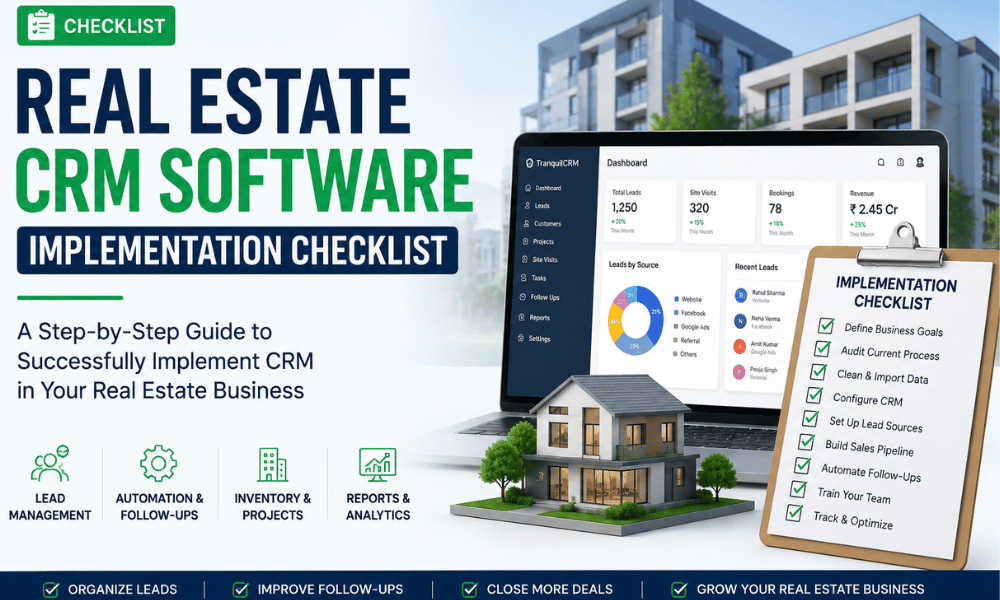
Real Estate CRM Software Implementation Checklist
Implementing a real estate CRM is more than installing software—it's about creating a streamlined sales process that helps your team manage leads, automate follow-ups, improve customer relationships, and close more property deals. A well-planned CRM implementation ensures better adoption, fewer errors, and higher returns on investment.
This step-by-step checklist will help real estate developers, builders, brokers, and agencies successfully implement a CRM system.
Why CRM Implementation Matters
Many real estate businesses invest in CRM software but fail to use it effectively. Common challenges include:
- Poor lead management
- Missed customer follow-ups
- Incomplete customer data
- Low user adoption
- Inaccurate sales reports
- Manual and repetitive tasks
A structured implementation process helps avoid these issues and ensures your CRM becomes a valuable business tool.
Step 1: Define Your Business Goals
Before implementing your CRM, identify what you want to achieve.
Common Goals
- Increase lead conversions
- Reduce response time
- Improve customer communication
- Automate follow-ups
- Track sales performance
- Manage site visits
- Improve team productivity
Clearly defined goals make it easier to measure CRM success.
Step 2: Audit Your Existing Sales Process
Map your current workflow.
Review:
- Lead sources
- Sales stages
- Customer communication
- Booking process
- Site visit scheduling
- Payment tracking
- Reporting methods
Identify bottlenecks that CRM automation can eliminate.
Step 3: Choose the Right CRM
Look for features designed specifically for the real estate industry.
Essential Features
- Lead Management
- Sales Pipeline
- WhatsApp Integration
- Email Automation
- SMS Notifications
- Site Visit Management
- Inventory Management
- Payment Tracking
- Team Task Management
- Analytics Dashboard
- Mobile App
- API Integrations
Step 4: Import and Clean Your Data
- Remove duplicate leads
- Update customer information
- Organize projects
- Verify phone numbers
- Verify email addresses
- Standardize lead sources
Clean data improves reporting and automation.
Step 5: Set Up Lead Sources
Connect every lead channel.
Examples:
- Website forms
- Google Ads
- Facebook Lead Ads
- Property Portals
- Referral Programs
- Channel Partners
Automatic lead capture saves time and prevents lead leakage.
Step 6: Create Your Sales Pipeline
Build stages that match your sales process.
Example Pipeline:
- New Lead
- Contacted
- Qualified
- Site Visit Scheduled
- Site Visit Completed
- Negotiation
- Booking
- Payment
- Sale Closed
This gives your team visibility into every opportunity.
Step 7: Automate Follow-Ups
Automation ensures no lead is forgotten.
Set up:
- Welcome emails
- SMS reminders
- Follow-up tasks
- Site visit reminders
- Payment reminders
Automation improves response time and customer experience.
Step 8: Configure User Roles
Assign permissions based on responsibilities.
Examples:
- Sales Executive
- Sales Manager
- Marketing Team
- Telecalling Team
- Admin
Proper access improves security and accountability.
Step 9: Integrate Communication Channels
Connect
- WhatsApp Business
- SMS
- Phone Dialer
- Calendar
- Google Meet
- Zoom
A centralized communication system keeps every interaction in one place.
Step 10: Train Your Team
CRM adoption depends on proper training.
Cover topics like:
- Lead updates
- Task management
- Pipeline management
- Reports
- Mobile app usage
- Customer communication
Regular training improves productivity.
Step 11: Track Key Performance Indicators (KPIs)
Monitor metrics such as:
- Leads generated
- Response time
- Site visit conversion rate
- Booking rate
- Sales revenue
- Follow-up completion rate
- Customer satisfaction
- Team performance
KPIs help identify improvement opportunities.
Step 12: Review and Optimize
CRM implementation is an ongoing process.
Review monthly:
- Automation workflows
- User feedback
- Sales reports
- Lead quality
- Marketing performance
- Customer journey
Continuous improvements keep your CRM aligned with business growth.
Common CRM Implementation Mistakes
Avoid these mistakes:
- Choosing a generic CRM instead of a real estate-specific solution
- Importing outdated customer data
- Skipping team training
- Not automating follow-ups
- Ignoring CRM reports
- Using too many manual processes
- Failing to define KPIs
CRM Implementation Checklist
- Define business goals
- Audit sales workflow
- Choose a real estate CRM
- Clean and import data
- Connect lead sources
- Build sales pipeline
- Automate follow-ups
- Configure user permissions
- Integrate communication tools
- Train employees
- Monitor KPIs
- Review and optimize regularly
Final Thoughts
A successful tranquilcrm implementation helps real estate businesses organize leads, automate repetitive tasks, improve customer communication, and increase sales efficiency.
By following this checklist, developers, builders, and agencies can reduce lead leakage, streamline operations, and achieve higher conversion rates.
As the real estate industry becomes more competitive, a properly implemented CRM is no longer optional—it is a key driver of sustainable growth.
Frequently Asked Questions
1. What is a real estate CRM software implementation checklist?
A real estate CRM software implementation checklist is a step-by-step guide that helps real estate businesses successfully set up a CRM system. It covers business goals, data migration, lead management, sales pipeline setup, automation, team training, and performance tracking to ensure smooth CRM adoption.
2. Why is CRM implementation important for real estate businesses?
CRM implementation helps real estate businesses centralize customer data, automate follow-ups, track sales activities, manage leads efficiently, and improve team collaboration. It reduces manual work, minimizes lead leakage, and increases property sales.
3. How long does it take to implement a real estate CRM?
The implementation timeline depends on the business size and requirements. Small real estate companies can complete CRM implementation within a few days, while larger developers with multiple projects, integrations, and data migration may take several weeks.
4. What features should a real estate CRM include?
A good real estate CRM should include:
- Lead Management
- Sales Pipeline
- Automated Follow-Ups
- WhatsApp Integration
- Email & SMS Automation
- Site Visit Management
- Inventory Management
- Booking & Payment Tracking
- Team Task Management
- Reports & Analytics
- Mobile Access
5. How does CRM software improve lead conversion?
CRM software improves lead conversion by capturing leads from multiple sources, assigning them to sales teams, automating follow-ups, tracking customer interactions, and ensuring no opportunity is missed. This results in faster responses and higher conversion rates.
6. What are the common mistakes to avoid during CRM implementation?
Common mistakes include importing duplicate data, skipping employee training, not defining sales stages, ignoring automation features, failing to monitor reports, and choosing a CRM that doesn't meet real estate business requirements.
7. Can a real estate CRM integrate with WhatsApp and other marketing platforms?
Yes. Most modern real estate CRM software integrates with WhatsApp Business, email marketing tools, SMS gateways, Facebook Lead Ads, Google Ads, property portals, and other communication platforms to streamline lead management and customer engagement.
8. How can real estate developers measure CRM implementation success?
Success can be measured using key performance indicators (KPIs) such as:
- Lead response time
- Lead conversion rate
- Site visit bookings
- Follow-up completion rate
- Sales revenue
- Customer satisfaction
- Team productivity
- Return on Investment (ROI)
9. Is CRM software suitable for small real estate businesses?
Yes. CRM software is ideal for businesses of all sizes. Small agencies and growing real estate companies can use CRM to organize leads, automate daily tasks, improve customer communication, and scale operations without increasing manual work.
10. How often should a real estate CRM be reviewed and optimized?
Businesses should review their CRM at least once a month. Regular reviews help identify workflow improvements, optimize automation, update customer data, improve reporting accuracy, and ensure the CRM continues to support business growth.
These FAQs are designed to improve your chances of appearing in Google's People Also Ask (PAA) results and AI-powered search responses while reinforcing the article's primary topic: Real Estate CRM Software Implementation Checklist.