How Developers Manage Sales Across Multiple Real Estate Projects
Quick Answer
To manage sales across multiple projects, give every project its own pipeline, inventory and sales team inside one shared system, usually real estate CRM software, route each enquiry to the right project automatically, and review project-wise reports side by side. Sales teams stay focused on their project while management still sees the whole portfolio.
For developers running several launches at once, our CRM for real estate developers brings every project's leads, inventory and bookings into one dashboard.
Introduction
As real estate businesses expand, managing multiple residential and commercial projects becomes increasingly challenging. Builders often launch projects in different locations, each with its own inventory, pricing, sales team, marketing campaigns, and customer enquiries. Without a centralized system, managing all these operations efficiently becomes difficult.
Many businesses still rely on spreadsheets, manual reports, emails, and messaging apps to manage their projects. While these methods may work for a single project, they become inefficient when multiple developments are running simultaneously. Important leads may be missed, follow-ups delayed, inventory information becomes outdated, and management loses visibility into overall sales performance.
This is where a single, shared system for all projects becomes essential.
A modern CRM is more than just a lead management tool. It acts as a central hub for managing the complete sales lifecycle across multiple projects. From capturing leads and assigning them to the right sales executive to tracking site visits, bookings, payments, and customer communication, everything can be managed through one platform. It helps organize daily operations, improve team productivity, and deliver a consistent customer experience while providing management with real-time insights into business performance.
In this article, we'll explore how a CRM simplifies multi-project management, reduces operational challenges, and helps businesses scale efficiently.
What Is Multi-Project Management in Real Estate?
Multi-project management refers to overseeing several real estate developments at the same time while ensuring that every project operates efficiently.
A builder may simultaneously manage:
- Apartment projects
- Villa communities
- Commercial buildings
- Gated communities
- Mixed-use developments
Each project has different:
- Sales teams
- Inventory
- Pricing
- Marketing campaigns
- Customer enquiries
- Site visit schedules
- Booking status
- Payment plans
Managing all this information separately often creates confusion and reduces productivity.
A CRM centralizes project information, making it easier to manage every development from one dashboard.
Common Challenges of Managing Multiple Projects
As businesses grow, they often face several operational problems.
1. Leads Get Assigned to the Wrong Project
When enquiries arrive through websites, Google Ads, Facebook campaigns, or property portals, manually assigning them to the correct project takes time.
2. Duplicate Customer Records
Customers often enquire about multiple projects.
Without a centralized CRM, duplicate customer records are created, making it difficult to track previous conversations.
3. Sales Teams Work Independently
Different project teams may maintain separate Excel sheets.
This creates communication gaps between departments and prevents management from getting a complete view of business performance.
4. Inventory Updates Become Difficult
If inventory is updated manually, sales executives may accidentally promote sold units or outdated pricing.
This creates confusion and reduces customer confidence.
5. Management Lacks Real-Time Visibility
Builders often struggle to answer questions such as:
- Which project is generating the most enquiries?
- Which project has the highest booking rate?
- Which marketing campaign is performing best?
- Which sales team is achieving targets?
Without centralized reporting, these insights are difficult to obtain.
How to Manage Sales Across Multiple Projects
1. Centralized Project Dashboard
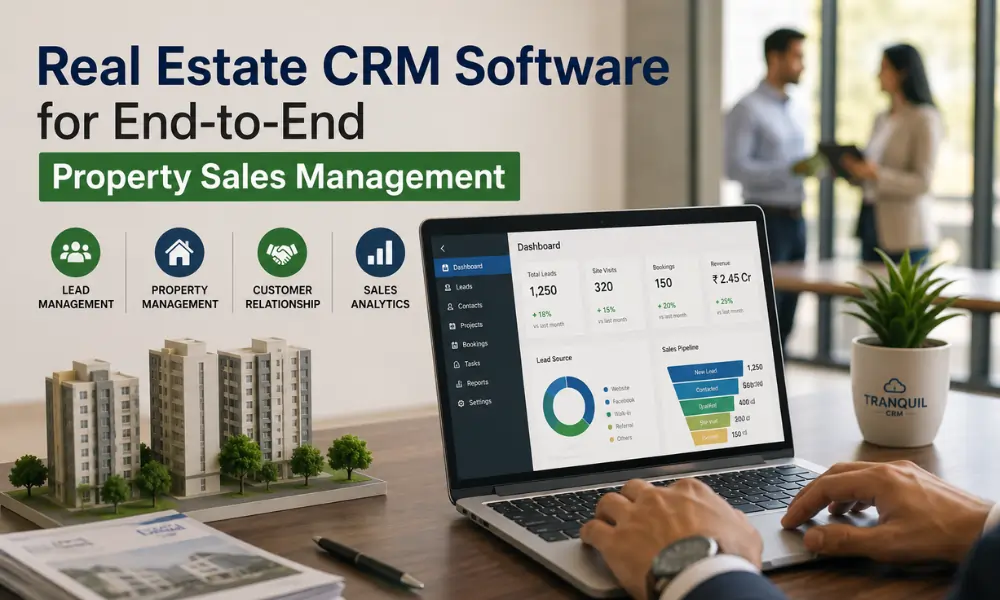
One of the biggest advantages of a CRM is having all projects managed from one dashboard.
Instead of switching between multiple spreadsheets or software applications, management can instantly view:
- Total enquiries
- Active leads
- Site visits
- Bookings
- Revenue
- Inventory status
- Team performance
- Project-wise sales
This centralized view improves decision-making and saves valuable time.
2. Smart Lead Distribution
When a customer submits an enquiry, the CRM automatically identifies the correct project based on predefined rules.
Leads can be assigned using:
- Project location
- Customer interest
- Property type
- Budget
- Sales executive availability
This automation ensures faster response times and reduces manual work.
3. Project-Wise Lead Tracking
Instead of mixing enquiries from different developments, a CRM organizes leads separately for each project.
Managers can instantly view:
- New enquiries
- Qualified leads
- Site visits
- Bookings
- Lost opportunities
This helps businesses evaluate project performance more accurately.
4. Project-Wise Inventory Control
When several projects are selling at once, inventory errors become expensive. Each project should keep its own live inventory (towers, floors, unit types, prices and status) so sales executives only offer units that are actually available.
- Available, blocked and sold units per project
- Tower-wise and floor-wise availability
- Project-specific price lists and offers
- Automatic status updates when a unit is blocked or booked
This prevents double bookings and stops teams from quoting outdated prices from another project's sheet.
5. Separate Teams, Shared Visibility
Most developers assign dedicated sales teams to each project. Those teams should see only their own leads and inventory, while managers see every project side by side.
- Role-based access for executives, project heads and management
- Lead transfers between projects when a buyer's requirement changes
- One customer record even if the buyer enquires about several projects
A buyer who doesn't fit Project A may be perfect for Project B. Shared visibility makes sure that lead is passed across instead of being marked "lost".
6. Project-Wise Marketing Attribution
Every project usually runs its own campaigns. Tracking leads, site visits and bookings by project and by source shows which campaigns are working for which launch, so budgets can be moved to where they produce bookings rather than just enquiries.
7. Portfolio-Level Reporting
Management needs to compare projects quickly. Useful project-wise reports include:
- Leads, site visits and bookings per project
- Site-visit-to-booking conversion by project
- Unsold inventory and ageing by project
- Collections and pending payments by project
- Team performance within each project
Reviewing these weekly helps leadership spot a slow-moving project early and adjust pricing, marketing or staffing before the problem grows.
Best Practices for Multi-Project Sales Management
- Use one system for all projects instead of a separate sheet per launch.
- Standardize pipeline stages across projects so reports are comparable.
- Tag every lead with a project and a source from the first touchpoint.
- Set clear rules for moving buyers between projects.
- Review project-wise dashboards every week, not just at month end.
Where Tranquil CRM Fits
Tranquil CRM supports multi-project sales with project-wise pipelines, inventory, teams and reports in one system. To see it with your own projects, book a demo.
Frequently Asked Questions
How do developers manage leads across multiple projects?
By tagging every enquiry with a project from the first touchpoint, routing it to that project's sales team automatically, and keeping a single customer record so buyers interested in more than one project aren't duplicated.
How can I avoid double-booking units across projects?
Keep live, project-wise inventory in the same system your sales team uses, and update unit status automatically when a unit is blocked or booked.
Should each project have its own sales team?
Often yes, but they should work in a shared system. Dedicated teams stay focused, while shared visibility lets managers compare performance and move buyers between projects.
Which reports matter most when running several projects?
Leads, site visits and bookings per project, site-visit-to-booking conversion, unsold inventory, collections, and team performance within each project.
Conclusion
Running several projects at once multiplies everything: leads, inventory, teams, campaigns and reports. Spreadsheets that work for one launch quickly break down across five.
Developers who give each project its own pipeline, inventory and team, inside one shared system with portfolio-level reporting, keep sales teams focused while leadership sees the whole picture. That combination is what lets a growing developer launch new projects without losing control of the ones already selling.