CRM vs Excel Sheets for Managing Real Estate Leads: Which Is Better?
Introduction
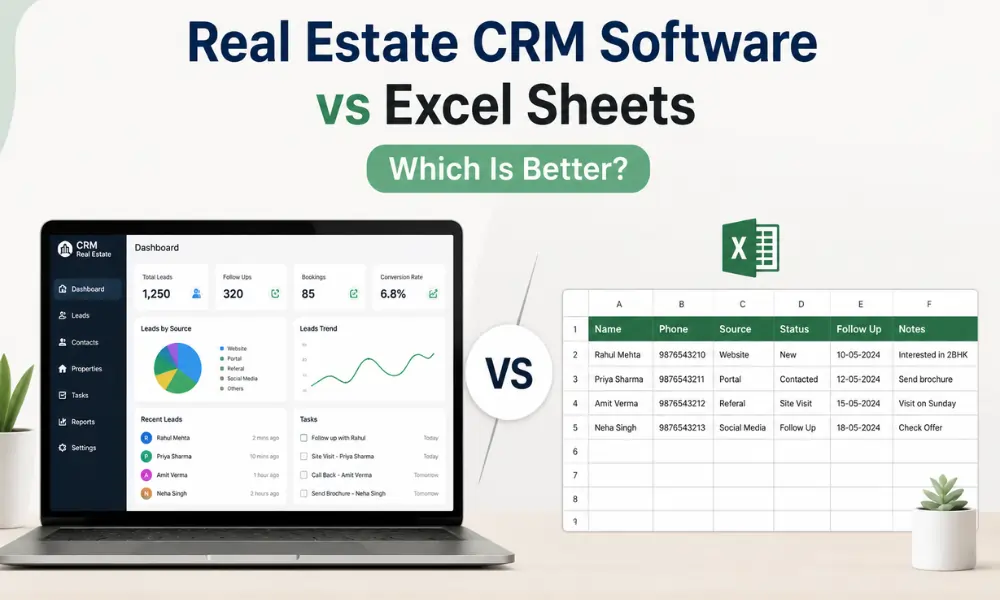
For many real estate businesses, Excel sheets have been the traditional way to manage leads, customer information, and sales activities. They are easy to use, widely available, and familiar to most teams. However, as businesses grow and lead volumes increase, relying solely on spreadsheets can create challenges that affect productivity and sales performance.
Today's buyers expect instant communication, personalized follow-ups, and seamless interactions. Managing hundreds or even thousands of leads manually through Excel sheets often leads to missed opportunities and inefficiencies.
This is where a CRM offers a significant advantage.
real estate CRM software provides automation, centralized lead management, communication tracking, and analytics that help real estate agents, builders, and developers improve conversions and streamline operations.
Understanding Excel Sheets for Real Estate Management
Excel sheets are commonly used to store and organize information such as:
- Customer names
- Contact numbers
- Property preferences
- Lead sources
- Follow-up dates
- Sales status
For small teams with a limited number of leads, spreadsheets may seem sufficient. However, managing large datasets manually becomes increasingly difficult as the business grows.
Advantages of Excel Sheets
- Low cost
- Easy to use
- Familiar interface
- Suitable for basic record keeping
Limitations of Excel Sheets
- Manual data entry
- No automation
- Difficult collaboration
- Higher risk of errors
- Limited reporting capabilities
- No communication tracking
As competition increases, these limitations can slow down business growth.
CRM vs Excel: 8 Key Differences
1. Lead Management
Excel Sheets
Leads are entered manually and stored in rows and columns. Tracking updates requires constant maintenance and increases the risk of errors.
CRM
Leads are automatically captured from websites, property portals, Google Ads, and social media campaigns. Every customer interaction is recorded in one place.
Winner: CRM
2. Follow-Up Management
Excel Sheets
Teams must manually set reminders and track follow-ups. Missed calls and delayed responses are common.
CRM
Automated reminders ensure that no lead is forgotten. Follow-up sequences can be scheduled through WhatsApp, email, and SMS.
Winner: CRM
3. Automation
Excel Sheets
No built-in automation capabilities are available. Most tasks require manual effort.
CRM
Automation features include:
- Lead assignment
- Welcome messages
- Follow-up reminders
- Site visit scheduling
- Pipeline updates
These features reduce workload and improve efficiency.
Winner: CRM
4. Team Collaboration
Excel Sheets
Multiple users editing the same file can create confusion and duplicate information.
CRM
Team members can access real-time data, view communication history, and collaborate effectively.
Managers can monitor activities and assign responsibilities efficiently.
Winner: CRM
5. Sales Pipeline Visibility
Excel Sheets
Tracking lead stages manually becomes complicated as lead volume increases.
CRM
Sales pipelines provide visual stages such as:
- New Lead
- Contacted
- Qualified
- Site Visit Scheduled
- Negotiation
- Booking
- Closed
This improves visibility and forecasting.
Winner: CRM
6. Communication Tracking
Excel Sheets
Phone calls, emails, and WhatsApp messages are not automatically recorded.
CRM
Every interaction is stored within the system, providing complete visibility into customer conversations.
This helps maintain consistent communication and improves customer experience.
Winner: CRM
7. Reporting and Analytics
Excel Sheets
Creating reports manually is time-consuming and prone to errors.
CRM
Businesses can access reports on:
- Lead sources
- Conversion rates
- Team performance
- Marketing ROI
- Sales trends
Data-driven insights support better decision-making.
Winner: CRM
8. Scalability
Excel Sheets
Managing thousands of leads through spreadsheets becomes inefficient.
CRM
CRM platforms are built to handle growing businesses and support multiple projects and users.
Winner: CRM
Comparison Table
| Feature | Excel Sheets | CRM |
|---|---|---|
| Lead Management | Manual | Automated |
| Follow-Ups | Manual | Automated |
| Communication Tracking | No | Yes |
| Team Collaboration | Limited | Advanced |
| Reporting | Basic | Detailed |
| Sales Pipeline | Manual | Visual Pipeline |
| Automation | No | Yes |
| Scalability | Limited | High |
| Productivity | Lower | Higher |
Why Excel Sheets Become a Limitation
Many real estate businesses begin with spreadsheets because they are inexpensive and easy to use.
However, common challenges include:
- Missed follow-ups
- Duplicate records
- Lack of visibility
- Delayed responses
- Poor team coordination
- Difficulty analyzing sales performance
These issues ultimately impact revenue and growth.
Why Growing Teams Switch to a CRM
A CRM offers several advantages:
Faster Response Times
Instant communication improves customer satisfaction and conversion rates.
Better Organization
All lead and customer information is stored centrally.
Automation
Routine tasks are completed automatically, saving valuable time.
Improved Team Productivity
Sales representatives can focus more on closing deals rather than administrative work.
Better Customer Experience
Personalized communication strengthens relationships and trust.
Where Tranquil CRM Fits
Tranquil CRM replaces lead spreadsheets with one shared lead database, automatic follow-up reminders and live pipeline reports. Brokers and channel partners can see how it works on our CRM for channel partners page.
When Should You Upgrade from Excel Sheets?
You should consider switching to a CRM if:
- You manage hundreds of leads every month.
- Your team struggles with follow-ups.
- Leads come from multiple channels.
- You need better reporting and analytics.
- You want to automate repetitive tasks.
- Your business is growing rapidly.
Investing in CRM software at the right time helps avoid operational bottlenecks and improves long-term scalability.
Frequently Asked Questions
Is Excel sufficient for managing real estate leads?
Excel sheets are suitable for basic record keeping and very small teams. However, they lack automation, communication tracking, and reporting capabilities needed for growing businesses.
Why is a CRM better than Excel sheets?
A CRM provides automated lead management, follow-up reminders, analytics, and communication tracking. These features improve efficiency and help increase sales conversions.
Can a CRM improve productivity?
Yes. CRM software eliminates manual tasks, organizes customer information, and allows teams to focus more on customer relationships and deal closures.
When should businesses switch from Excel to CRM Software?
Businesses should upgrade when lead volume increases, manual processes become difficult to manage, and better collaboration and reporting are needed.
Conclusion
Excel sheets may work for basic data management, but they are no longer sufficient for businesses aiming to grow in today's competitive real estate market.
A CRM offers automation, centralized lead management, communication tracking, and powerful analytics that help businesses improve efficiency and increase conversions.
For real estate professionals looking to scale operations and deliver better customer experiences, a real estate CRM provides a smarter and more effective alternative to spreadsheets.
While Excel sheets serve as a starting point, a CRM is the future of modern real estate lead management.