How to Convert More Leads Using Real Estate CRM Software (Step-by-Step Guide)
Introduction
Generating leads is important, but converting them into clients is what drives real estate success. Many businesses lose potential buyers due to delayed responses, missed follow-ups, and unorganized data.
This is where Real Estate CRM Software becomes essential. At TranquilCRM, we understand how structured lead management and automation can significantly improve conversion rates. This guide explains how to use CRM software effectively to turn more leads into successful deals.
What is Real Estate CRM Software?
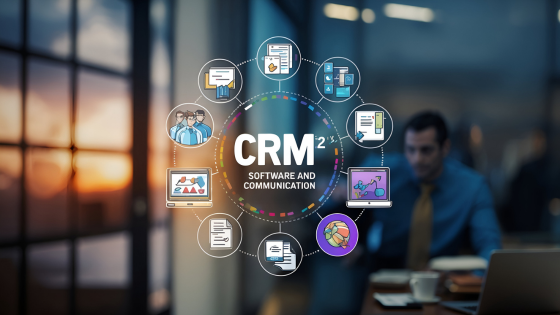
Real Estate CRM Software is a system that helps real estate agents and businesses manage leads, automate follow-ups, and track customer interactions.
It allows you to:
- Store all leads in one place
- Automate communication through SMS, email, and WhatsApp
- Track customer behavior and preferences
- Manage the sales pipeline efficiently
With tools like TranquilCRM, you can simplify your workflow and focus more on closing deals.
Why Real Estate Leads Fail to Convert
Understanding the common reasons behind low conversion rates can help you improve your strategy:
- Delayed response to inquiries
- Lack of a proper follow-up system
- Poor lead tracking
- Generic communication
- Unorganized workflow
Without Real Estate CRM Software, managing multiple leads becomes inefficient and leads are often lost.
Step-by-Step Guide to Convert More Leads
Step 1: Capture and Organize Leads
Leads can come from multiple sources such as websites, social media ads, and property portals. A Real Estate CRM Software automatically captures and organizes these leads in one dashboard, ensuring no lead is missed.
Tip: Use lead segmentation such as hot, warm, and cold leads to prioritize follow-ups.
Step 2: Respond Instantly
Quick response time plays a major role in lead conversion. CRM tools allow you to send instant SMS replies, trigger automated emails, and respond through WhatsApp. An immediate response builds trust and keeps the prospect engaged.
CRM tools allow you to:
- Send instant SMS replies
- Trigger automated emails
- Respond through WhatsApp
Step 3: Create a Follow-Up System
Consistent follow-ups are essential for converting leads. A structured follow-up plan includes:
- Day 1: Initial response
- Day 2: Share property details
- Day 4: Follow-up call or message
- Day 7: Invite for site visit
Step 4: Personalize Communication
Personalized communication increases engagement and trust. CRM tools allow you to track user preferences and customize messages based on behavior. For example, recommending properties based on previous inquiries improves response rates.
CRM tools allow you to:
- Track user preferences
- Send relevant property suggestions
- Customize messages based on behavior
For example, recommending properties based on previous inquiries improves response rates.
Step 5: Track Lead Behavior
CRM software provides insights into customer behavior, such as email open rates, message responses, and property interests. This data helps identify serious buyers and prioritize them.
- Email open rates
- Message responses
- Property interests
This data helps identify serious buyers and prioritize them.
Step 6: Automate the Sales Funnel
A structured sales funnel improves conversion efficiency. TranquilCRM tracks stages including: New Lead, Contacted, Interested, Site Visit, Negotiation, and Closed.
- New Lead
- Contacted
- Interested
- Site Visit
- Negotiation
- Closed
Real Estate CRM Software tracks and manages each stage effectively.
Step 7: Never Miss Follow-Ups
Missed follow-ups can result in lost deals.
CRM tools provide:
- Task reminders
- Notifications
- Alerts for pending leads
This ensures every lead is properly handled.
Step 8: Analyze and Improve
Tracking performance helps in optimizing your strategy.
- Conversion rate
- Lead sources
- Campaign performance
Using this data, you can refine your approach and improve results.
Benefits of Real Estate CRM Software
- Improves lead conversion rates
- Saves time through automation
- Enhances customer experience
- Reduces manual errors
- Streamlines sales processes
Expert Tips from TranquilCRM
- Respond within the first five minutes
- Follow up multiple times
- Use WhatsApp for faster communication
- Focus on high-quality leads
- Leverage automation tools
Frequently Asked Questions
What is real estate CRM software?
It is a tool that helps real estate professionals manage leads, automate follow-ups, and track customer interactions efficiently.
How does CRM software improve lead conversion?
It ensures timely responses, organized data, and personalized communication, increasing the chances of closing deals.
Is CRM necessary for real estate agents?
Yes, it helps manage multiple leads effectively and reduces the risk of losing potential clients.
Can CRM software send WhatsApp messages?
Yes, most modern CRM tools, including TranquilCRM, support WhatsApp automation.
Which CRM is best for real estate?
The best CRM depends on your business needs, but tools like TranquilCRM offer automation, lead tracking, and communication features.
Conclusion
Converting real estate leads requires a structured approach, timely communication, and consistent follow-ups.
By using Real Estate CRM Software like TranquilCRM, you can automate processes, improve efficiency, and significantly increase conversions.
Implement these strategies to turn more inquiries into successful property deals.